

BACnet Explorer
The Cimetrics BACnet Explorer is one of the most popular and user-friendly tools for exploring and troubleshooting BACnet/IP and BACnet MS/TP networks.
 free version here.
Product Highlights
- Discover & Troubleshoot – Automatically find every BACnet device, object, and property on connected networks.
- Snapshot Comparison (Premium) – Capture and compare network states over time; export results to XML or CSV.
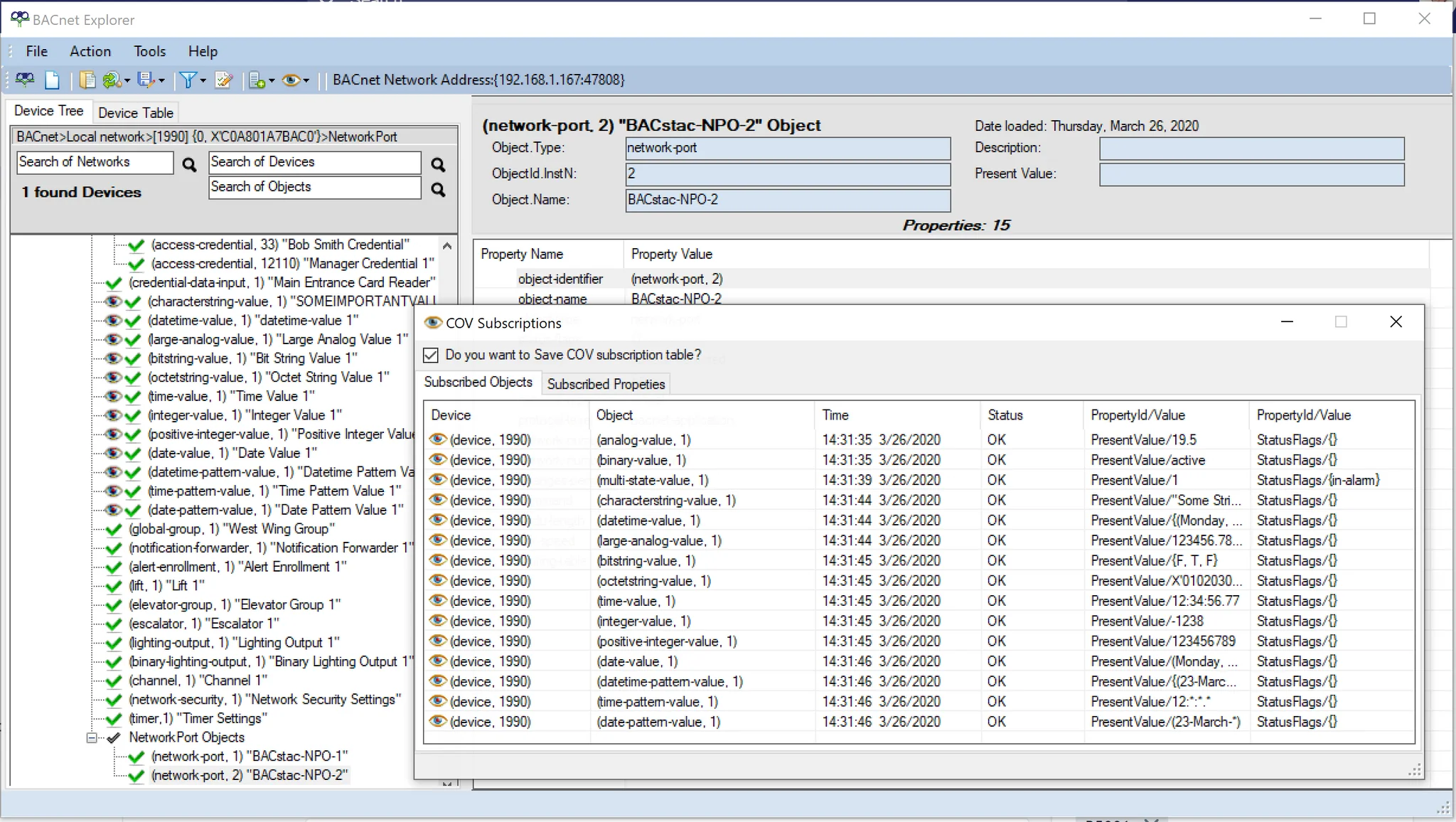
- Subscribe to COV (Premium) – See real-time value changes for subscribed properties and objects.
- View Schedules & Calendars – Explore BACnet Schedule and Calendar objects easily.
- Manual Additions – Add hidden devices, objects, and properties manually, then re-discover for deeper insight.
- Save & Restore Configurations – Export network configurations in XML or EDE formats for sharing or recovery.
Description
BACnet Explorer
BACnet Explorer for exploring and troubleshooting BACnet/IP and BACnet/MSTP networks and devices. The new version 10 supports Net. Core 6.0, and BACstac/DN 2.2. For only $199 get one of the most popular and user-friendly BACnet Explorer/discovery tool on the market.
SUBSCRIBE TO COV (premium feature) See when the value of subscribed property/object is changed.
SNAPSHOT COMPARISON (premium feature) – with a snapshot feature you can capture what you’ve discovered on a BACnet network and compare with the existing BACnet Network later. Create as many snapshots as you like and save them in XML file. You can save comparison results in CSV file.
ADD NETWORKS/DEVICES/OBJECTS/PROPERTIES MANUALLY – find hidden network/devices/objects/properties. You can subscribe to COVs after re-discovering added /devices/objects/properties.
SCHEDULE OBJECT VIEWER – see the BACnet Schedules.
CALENDAR OBJECT VIEWER – see the BACnet Calendars.
SUPPORT for most BACnet object types
COPY RESULTS IN TABLE VIEW – copy discovered nodes from the table and paste in any file.
REFERENCES TO OTHER OBJECTS WITHIN THE OBJECTS – Ability to access referenced properties and go back to original ones.
PREMIUM VERSION:
Please keep in mind that the license for the paid explorer is:
– Not Transferable
– Not Replaceable
Because of these reasons, we are able to keep the price low.
Your license includes:
– upgrades and updates – you can download and install all BACnet Explorer versions, released during your License period.
– technical support – you can ask the BACnet Explorer Team any questions regarding BACnet Explorer. [email protected].
Premium features:
COV Subscription
Ability to access referenced properties and go back to original ones
Snapshot comparison
Option to save to .csv format with extensive filtering options (premium version);
Option to save a network to xml file and restore from this file (premium version).
Option to save to Engineering Data Exchange format (.EDE)
One year technical support and upgrades
Discover BACnet devices on connected networks
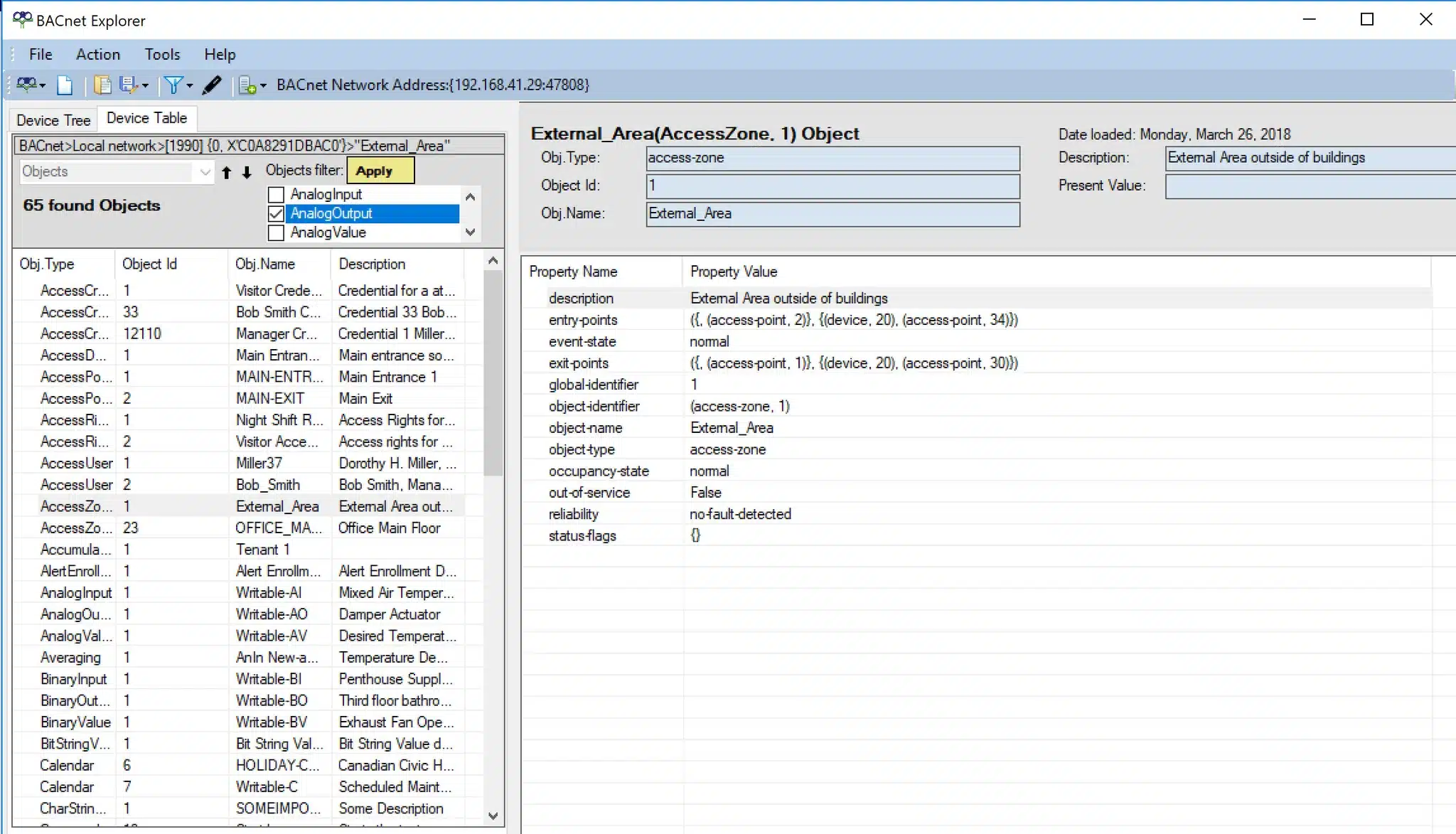
The Cimetrics BACnet Explorer is a BACnet client that supports the BACnet/IP data link layers. Using the BACnet Explorer, users can discover every BACnet device on the directly-connected network. Devices on different networks can also be discovered if the networks are connected by a BACnet Router or BBMD.
With BACnet Explorer, users can auto-populate BACnet device information with just a few mouse clicks. Objects within discovered devices can be queried for their properties and values. Some property values can also be changed using the Explorer.
Capture, Save and restore your BACnet Network Configuration
The BACnet network configuration can be saved in an XML format file:
This enables users to read/edit the configuration and to provide the configuration to others.
Browse / discover specific BACnet devices and objects
BACnet Explorer also allows the user to discover just one specified device without exploring the whole network. The user does this by specifying the Device ID or the BACnet network address of the target device.
The BACnet Explorer also allows discovery of just one specific object within a discovered device if its object ID is known. This allows an object to be read even if it is not included in the device’s object list, Likewise a proprietary property that was not automatically discovered by the Explorer can be read if its property ID is known.
BACnet BIBBs
| Read Property | DS-RP-A |
| Read Property Multiple | DS-RPM-A |
| Write Property | DS-WP-A |
| Dynamic Device Binding | DM-DDB-A |
| Dynamic Device Binding (Server) | DM-DDB-B |
| Dynamic Object Binding | DM-DOB-B |
Additional
| Foreign Device | Connects to BACnet BBMDs |
| Supported OS | Windows 10, Windows 11 |
| Filtering | Extensive |
| Licensing | Free or licensed electronically (key file) |
BACstac Standard Object Types
| Supported Objects | AccessCredential, AccessDoor, AccessPoint, AccessRights, AccessUser, AccessZone, Accumulator, AlertEnrollment, AnalogInput, AnalogOutput, AnalogValue, Averaging, BinaryInput, BinaryLightingOutput, BinaryOutput, BinaryValue, BitStringValue, Calendar, Channel, CharStringValue, Command, CredentialDataInput, DatePatternValue, DateValue, DatetimePatternValue, DatetimeValue, Device, ElevatorGroup, Escalator, EventLog, EventEnrollment, File, GlobalGroup, Group, IntegerValue, LargeAnalogValue, LifeSafetyPoint, LifeSafetyZone, Lift, LoadControl, Loop, MultiStateInput, MultiStateOutput, MultiStateValue, NetworkPort, NotificationClass, NotificationForwarder, OctetStringValue, PositiveIntegerValue, Program, PulseConverter, Schedule, StructuredView, TimePatternValue, TimeValue, Timer, TrendLog, TrendLogMultiple |
Writable DataTypes
| Supported Types | NULL, Boolean, Unsigned, Integer, Signed Integer, Real, Double, Character String, Enumerated, BACnetObjectIdentifier, Date, Time, DateTime, OctetString, BIT STRING, OptionalUnsigned, OptionalCharString, BACnetClientCOV, BACnetLandingCallStatus, BACnetAssignedLandingCalls, BACnetLandingDoorStatus, BACnetLiftCarCallList, BACnetObjectPropertyReference, Array of any types |
Licensing
Licensing for Premium version
-
-
- Please keep in mind that the license for the paid explorer is:
- Not Transferable
- Not Replaceable
- Please keep in mind that the license for the paid explorer is:
-
-
-
- Because of these reasons, we are able to keep the price low.
-
Your license includes:
-
-
- your license is valid forever for the version you have purchased – updates and upgrades are only available within a year of purchase
- upgrades and updates – you can download and install all BACnet Explorer versions, released during your License period.
- Your license is valid for ONE YEAR only from a time of purchase – you can not upgrade to a newer version after your license expires. You need to buy a new one.
-
-
-
- technical support – you can ask the BACnet Explorer Team any questions regarding BACnet Explorer. [email protected]..
-